Choosing the right Microsoft plan is a big decision for any company. Many business owners feel confused by the many options. They often ask which plan fits their needs best. This guide will clear up that confusion. We will compare Microsoft 365 Apps for Business and Enterprise plans in detail. You will learn the key differences between them. You will also discover which plan suits your organization. This article covers features, pricing, security, and more. We will use simple language and short sentences. By the end, you will make a confident choice. Let us dive into the world of Microsoft 365. We will start with the basics first.
Understanding Microsoft 365 Apps for Business
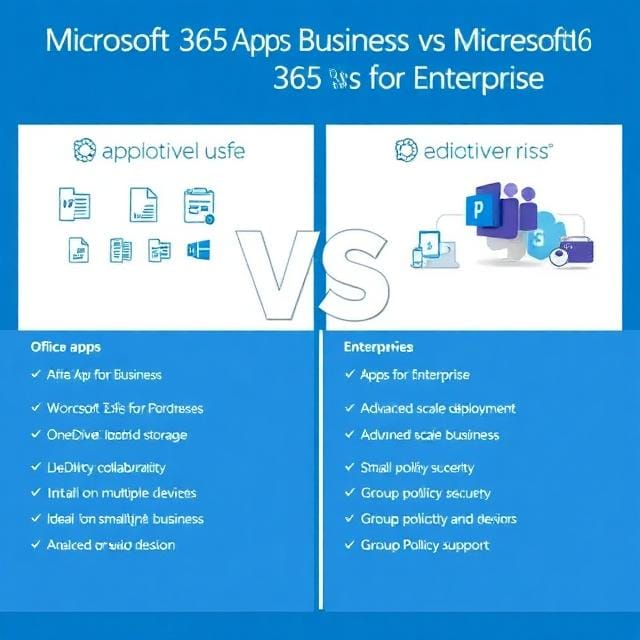
Microsoft 365 Apps for Business is a popular subscription plan. It gives you full desktop Office apps. These include Word, Excel, PowerPoint, and Outlook. You also get Access and Publisher with this plan. Each user gets 1 TB of OneDrive storage. This storage is useful for backing up files. You can install the apps on up to five devices. These devices include PCs, Macs, tablets, and phones. The plan works well for small teams.
It is perfect for companies with up to 300 users. However, this plan does not include Exchange email. It also lacks Microsoft Teams and SharePoint. You must have your own email solution. Many businesses use this plan alongside other services. It is a focused, cost-effective option. Microsoft 365 Apps for Business costs around $8.25 per user monthly. This price is affordable for most small firms.
What Is Microsoft 365 Apps for Enterprise?
Microsoft 365 Apps for Enterprise is a more advanced plan. It is designed for larger organizations. This plan has no user limit at all. You can scale it to any size. It includes the same core Office apps. These are Word, Excel, PowerPoint, and Outlook. It also includes Access and Publisher. The apps work on up to five devices per user. OneDrive storage is also included. However, Enterprise offers more than just apps
. It adds advanced security features. It provides better compliance tools. It also supports shared computer activation. This feature is useful for hot-desking environments. Group Policy support is officially included too. This helps IT teams manage settings easily. The Enterprise plan costs more than the Business version. Prices start around $29.14 per user monthly. This higher cost brings extra value. Large firms often find it worthwhile.
Key Differences at a Glance
The main difference is the user limit. Microsoft 365 Apps for Business has a 300-seat cap. Enterprise has no such restriction. This cap applies across your whole tenant. You cannot mix and match to exceed 300. The pricing also differs significantly. Business is cheaper per user. Enterprise costs more but offers more features. Security is another big differentiator. Business provides basic protection. Enterprise includes advanced threat protection. Compliance tools are also stronger in Enterprise. You get data loss prevention features. You also get eDiscovery and legal hold capabilities. Shared computer activation is only in Enterprise. Group Policy support is official in Enterprise too. These differences matter for growing companies. They also matter for regulated industries.
Feature Comparison: What Do You Get?
Let us look at the features side by side. Both plans give you desktop Office apps. You get Word, Excel, and PowerPoint. You also get Outlook, Access, and Publisher. Both include 1 TB of OneDrive storage. Both allow installation on five devices. These similarities are important to note.
However, Enterprise adds several extras. It includes advanced security features. It offers better compliance tools. It supports shared computer activation. Group Policy management is also included. Enterprise works with semi-annual channel updates. This gives you more control over updates. Business uses the current channel. This means more frequent updates. Enterprise also integrates with other Microsoft services. These include Power BI and Power Apps. Business does not include these integrations. The feature gap is clear between the two.
Pricing Breakdown and Value
Pricing is a critical factor for most buyers. Microsoft 365 Apps for Business costs $8.25 per user per month. This price is billed annually. It is very competitive for small teams. The Enterprise plan costs more. It is priced at $29.14 per user monthly. This is a significant price difference.
However, the Enterprise plan offers more value. You get advanced security and compliance. You get unlimited scalability. You get better management tools. For large firms, this extra cost is justified. For small firms, the Business plan is better. You must weigh the costs against the benefits. Consider your current and future needs. Think about your security requirements. Also, consider your growth plans. The right choice saves you money. The wrong choice costs you more later.
Security Capabilities Compared
Security is a top concern for all businesses. Microsoft 365 Apps for Business offers basic security. It includes standard protection features. These protect against common threats. However, it lacks advanced tools. Enterprise provides much stronger security. It includes advanced threat protection. It offers conditional access policies. It has better identity management features. Enterprise also includes Microsoft Defender. This protects against sophisticated attacks. It offers data loss prevention tools. These prevent sensitive data from leaking. Enterprise includes eDiscovery capabilities. This helps with legal investigations. It also offers retention policies. These keep data for required periods. For regulated industries, Enterprise is essential. For healthcare and finance, it is a must. Business plans may not meet compliance needs. Enterprise ensures you stay compliant.
Compliance and Governance
Compliance is crucial for many organizations. Microsoft 365 Apps for Business has basic compliance tools. It meets general data protection standards. However, it lacks advanced governance features. Enterprise excels in this area. It includes comprehensive compliance tools. You get data loss prevention policies. You get retention and archiving features. eDiscovery is fully supported. Legal hold capabilities are included. These help with litigation and investigations. Enterprise also offers advanced auditing. You can track all user activities. This helps with regulatory reporting. Industries like finance and healthcare need these. They must comply with strict regulations. Business plans may fall short here. Enterprise ensures you meet all requirements. It gives you peace of mind. It protects you from legal risks.
Scalability and User Limits
Scalability is a major consideration. Microsoft 365 Apps for Business has a hard limit. You cannot exceed 300 users. This is a strict cap across your tenant. You cannot add a 301st user. This limit applies to all Business plans combined. You cannot mix Basic, Standard, and Premium. The total cannot exceed 300. This forces many companies to switch. Enterprise has no such limit. You can scale to any size. You can add thousands of users. This makes Enterprise ideal for large firms. It is also good for fast-growing companies. You must plan for this limit early. Do not wait until you hit 300. A rushed migration is costly and stressful. Plan your move in advance. This ensures a smooth transition.
Management and Administration
Management tools differ between the plans. Microsoft 365 Apps for Business offers basic management. You can manage users and devices. However, you have limited control. Enterprise provides advanced management features. It includes Group Policy support. This allows IT teams to enforce settings. You can control updates and configurations. Enterprise also supports shared computer activation. This is useful for shared workstations. Employees can log in on any computer. Their apps and settings follow them. This is great for hot-desking environments. Business does not support this feature. Only Business Premium includes it. Enterprise also offers better reporting tools. You can monitor usage and compliance. These management features save time. They reduce IT overhead significantly.
Support and Update Channels
Support options vary between the plans. Microsoft 365 Apps for Business includes standard support. You get access to Microsoft support resources. However, the response times may vary. Enterprise includes premium support options. You get faster response times. You also get dedicated support contacts. Update channels also differ between plans. Business uses the current channel. This means frequent updates. You get new features quickly. However, updates can be disruptive. Enterprise uses the semi-annual channel. This means fewer updates. You get updates twice a year. This provides more stability. It is better for large organizations. You can plan for updates in advance. This reduces unexpected issues. Choose based on your update preferences. Stability matters for enterprise environments.
Use Cases for Microsoft 365 Apps for Business
Many scenarios suit Microsoft 365 Apps for Business. Small teams benefit greatly from this plan. Startups with limited budgets find it ideal. Companies with existing email solutions prefer it. You can use Google Workspace for email. You can use on-premises Exchange servers. Then add Business apps for Office tools. This combination works well for many. Remote workers also love this plan. They can install apps on personal devices. The 1 TB storage is generous. It holds many documents and files. Creative agencies use it for design work. Consulting firms use it for proposals. Non-profits also find it affordable. The 300-user limit is rarely an issue. Most small businesses fit within this. It is a practical, focused solution.
Use Cases for Enterprise Plans
Enterprise plans suit larger organizations. Companies with over 300 users must use Enterprise. This is a hard requirement from Microsoft. Fast-growing companies also benefit. They can scale without worrying about limits. Regulated industries need Enterprise features. Healthcare providers require strong compliance. Financial firms need advanced security. Government agencies also prefer Enterprise. These organizations handle sensitive data. They must protect against sophisticated threats. Enterprise provides the necessary tools. It also suits companies with complex IT needs. Large multinationals use Enterprise. They need consistent management across regions. Shared computer activation is essential for them. Group Policy support helps standardize settings. Enterprise meets all these requirements. It is the choice for serious organizations.
Making the Right Choice for Your Business
How do you decide between the two plans? Start by counting your users. If you have under 300, Business is possible. If you have over 300, Enterprise is mandatory. Next, assess your security needs. Do you handle sensitive data? Do you face regulatory requirements? If yes, choose Enterprise.
Consider your growth trajectory. Are you planning to expand rapidly? Enterprise gives you room to grow. Evaluate your IT management capabilities. Do you need Group Policy support? Do you need shared computer activation? Enterprise provides these features. Think about your budget constraints. Business is more affordable. Enterprise costs more but offers more. Also, consider your existing infrastructure. Do you already have email solutions? Business might be sufficient. Finally, consult with IT experts. They can provide valuable guidance.
Migration Strategies and Tips
Migrating between plans requires careful planning. Do not wait until you hit 300 users. Start the process early. Assess your current usage and needs. Identify which users need Enterprise features. You can mix Business and Enterprise licenses. This is often cheaper than full migration. Move critical users to Enterprise first. These include executives and IT staff. Then migrate other users gradually. Test the new environment thoroughly. Ensure all apps work correctly. Train users on new features. Monitor performance after migration. Address any issues promptly. Plan the migration during low-activity periods. This minimizes disruption to business. Work with a Microsoft partner for help. They can streamline the process. A smooth migration saves time and money.
Common Misconceptions
Many myths surround these two plans. Some think Business and Enterprise are identical. This is not true. The apps are the same. However, the surrounding features differ greatly. Others believe Enterprise is always better. This is also false. Business is better for many small firms. It offers excellent value for money. Some think you cannot mix licenses. You actually can mix Business and Enterprise. This gives you flexibility.
Others believe the 300 limit is per plan. It is actually per tenant. This is a common misunderstanding. Some think Business lacks desktop apps. This is incorrect. Microsoft 365 Apps for Business includes full desktop apps. It is not just web versions. Clearing these myths helps you decide. Accurate information leads to better choices.
Future-Proofing Your Decision
Think about your long-term needs. Your business will likely grow. Your security requirements may increase. Choose a plan that can grow with you. Microsoft 365 Apps for Business works for now. However, it has a hard ceiling. Enterprise offers unlimited growth potential. Consider your industry trends. Cybersecurity threats are increasing. Regulations are becoming stricter. Enterprise helps you stay ahead. It provides advanced protection. It ensures you remain compliant. Investing in Enterprise may save future costs. You avoid rushed migrations. You avoid compliance penalties. You also avoid security breaches. These can be very expensive. Future-proofing is a smart strategy. It gives you peace of mind. It supports your long-term success.
Conclusion
Choosing between Microsoft 365 Apps for Business and Enterprise is a significant decision. It impacts your productivity, security, and budget. The Business plan is excellent for small teams. It offers full Office apps at a low cost. It includes generous OneDrive storage. It works well for companies under 300 users. However, it has limitations. The 300-user cap is a hard limit. Security and compliance features are basic.
Management tools are limited. These factors may become problematic as you grow. The Enterprise plan addresses these limitations. It offers unlimited scalability. It provides advanced security and compliance. It includes better management tools. It supports shared computer activation and Group Policy. However, it comes at a higher cost. The right choice depends on your specific needs. Assess your current user count. Evaluate your security requirements.
Consider your growth projections. Think about your budget constraints. Also, consider your IT management capabilities. For many small businesses, Microsoft 365 Apps for Business is the perfect fit. It provides everything they need. It does so at an affordable price. For larger or growing companies, Enterprise is the better choice. It offers the scalability and features they require. It ensures they stay secure and compliant. Remember, you can also mix both plans. This gives you flexibility and cost savings. Whichever plan you choose, ensure it aligns with your goals. Make an informed decision today. Your business will thank you tomorrow. For affordable and genuine Microsoft licenses, visit Microsoftprokey at https://microsoftprokey.com/. They offer competitive pricing on all Microsoft products.
FAQ’s
1. What is the main difference between Microsoft 365 Apps for Business and Enterprise?
The main difference is the user limit. Microsoft 365 Apps for Business has a 300-seat cap per tenant. Enterprise has no user limit. Enterprise also includes advanced security, compliance, and management features that Business lacks.
2. Can I mix Business and Enterprise licenses in the same organization?
Yes, you can mix both license types in one tenant. This is often a cost-effective strategy. You can assign Enterprise licenses to users who need advanced features. Other users can keep Business licenses.
3. Does Microsoft 365 Apps for Business include Exchange email and Teams?
No, this specific plan does not include Exchange email, Microsoft Teams, or SharePoint. It only includes the desktop Office apps and OneDrive storage. You need separate solutions for email and collaboration.
4. What happens when I reach 300 users on a Business plan?
You cannot add a 301st user on a Business plan. Microsoft will not allow you to purchase more Business licenses. You must migrate users to Enterprise plans or switch entirely to Enterprise.
5. Is shared computer activation available in Microsoft 365 Apps for Business?
No, shared computer activation is not available in the standard Business plan. Only Business Premium includes this feature. Enterprise plans fully support shared computer activation.