The Tale of Two Tools
Imagine you are a captain of a large ship. You have a map for the journey. You also have a blueprint for the ship itself. Both are vital. But they serve very different purposes. This is the story of Project Online vs Visio Online. Many people mix them up. They think these tools do the same job. That is a big mistake. Understanding the difference saves you time and money. It also helps your team work smarter. We will explore both tools in depth. You will learn their strengths and weaknesses. You will know exactly which one fits your needs. This guide is your compass. It will lead you to the right decision. Let us start this journey together.
What is Project Online?
Project Online is a powerful project management tool. It comes from Microsoft. It lives in the cloud. You do not need to install heavy software. You access it from any browser. This tool is for managing complex tasks. It helps you schedule work. It tracks your resources. It keeps your budget in check. Project managers love this software. You can see who is doing what. You can see when tasks are due. You can also spot risks early. It is a central hub for all project data. Teams use it to stay on schedule. It turns chaos into order. Every project has a timeline. Project Online helps you build that timeline. It is a serious tool for serious work.
What is Visio Online?
Visio Online is a diagramming tool. It is also from Microsoft. It runs in your web browser. You use it to create visual charts. You can draw flowcharts. You can map out business processes. You can build network diagrams. It helps you explain complex ideas. Pictures are easier to understand. Visio Online makes those pictures. It is simple to use. You drag and drop shapes onto a canvas. You connect them with lines. The tool organizes your thoughts visually. It is great for brainstorming. It is also perfect for presentations. You show your plans in a visual way. Teams use it to communicate better. It removes the confusion from technical details. It turns data into clear pictures.
The Core Purpose Comparison
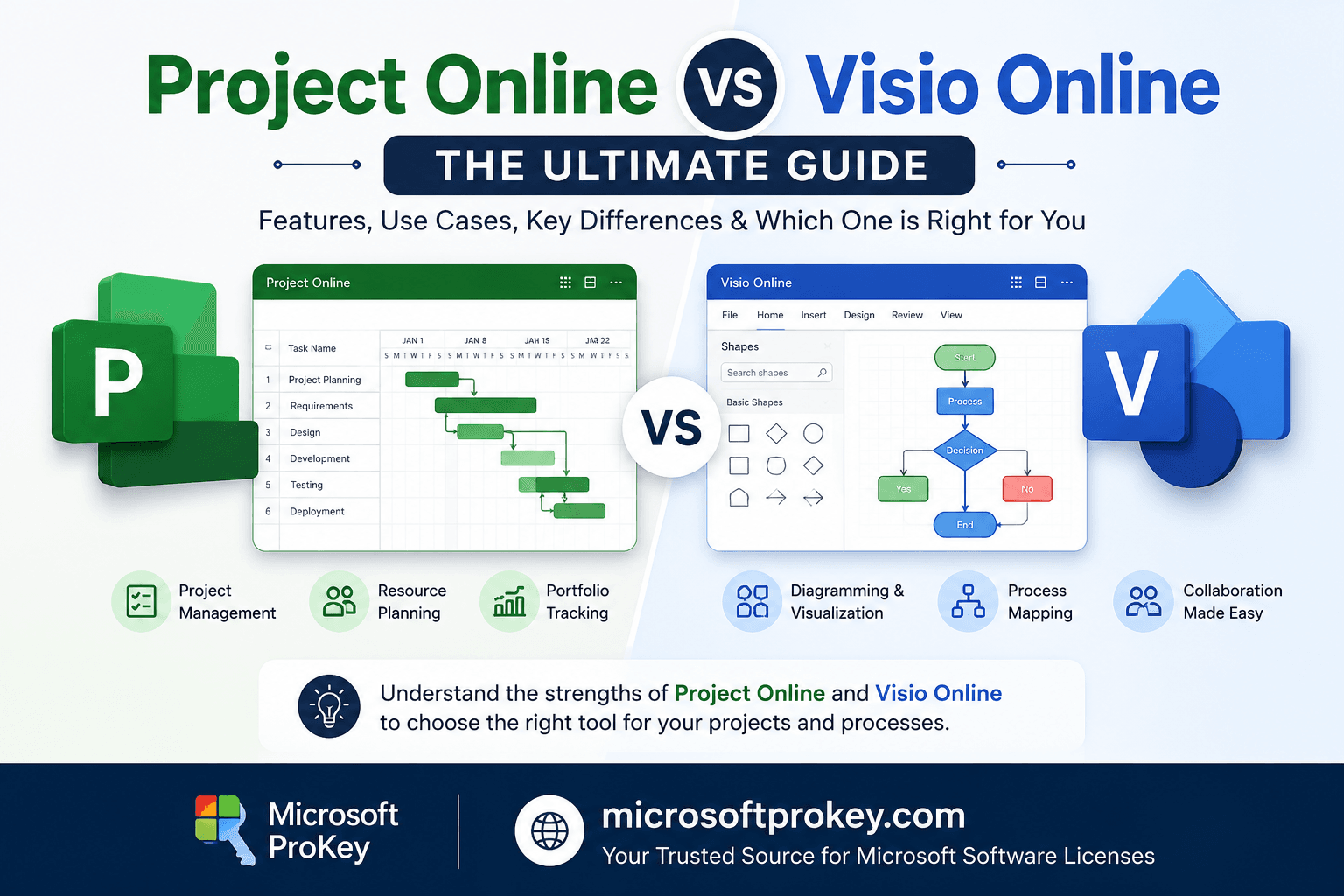
The main question is always Project Online vs Visio Online. The answer lies in their core purpose. Project Online is about time and tasks. It manages the work. It tracks progress. It handles dates and deadlines. Visio Online is about structure and process. It shows how things connect. It maps out systems. It draws the flow of information. You use Project Online to do the work. You use Visio Online to plan the work. One is a calendar of events. The other is a map of ideas. They are not rivals. They are partners. But they do not replace each other. You cannot draw a flowchart in Project. You cannot create a schedule in Visio. They are different animals. You must know their job. That is the first step to choosing right.
Key Features of Project Online
Let us look at the features of Project Online. It gives you robust scheduling tools. You can create Gantt charts. These charts show the project timeline. You can assign tasks to team members. You can set dependencies between tasks. One task must finish before another starts. The tool calculates the critical path. This is the longest sequence of tasks. It tells you the minimum project duration. You can also manage resources. You see who is overworked. You see who has free time. It has built-in reporting. You get instant progress updates. It connects with other Microsoft tools. It uses SharePoint for file storage. It uses Teams for chat. It integrates with Power BI for analytics. It is a full suite of management tools. It supports both agile and waterfall methods. It is flexible and powerful.
Key Features of Visio Online
Now, let us examine Visio Online. It offers a huge library of shapes. You have templates for many industries. You can make process flowcharts. You can design organizational charts. You can draw floor plans. It supports data linking. You can connect your diagram to real data. For example, you can link a shape to an Excel cell. The shape updates when the data changes. This is very useful for dashboards. You can also collaborate in real-time. Your team can edit the diagram together. You can add comments to specific shapes. It has a simple interface. The drawing tools are intuitive. You just click and drag. It makes visual communication easy. You can share your diagram as a link. You can export it as an image. It is all about clarity and sharing.
User Interface and Ease of Use
The user interface is important. It affects how fast you work. Project Online has a steeper learning curve. It has many options and menus. This is because it has more features. The main view is the grid and timeline. You need some training to use it well. You must learn project management terms. But once you learn it, the interface is logical. It puts all controls in one place. Visio Online is much simpler. The interface is like a blank canvas. You have a toolbox on the side. You drag shapes from the toolbox. This is very intuitive. Anyone can start drawing right away. It does not require special training. The user experience is smooth. It feels more like a creative tool. The difference is clear. Project is a workhorse. Visio is a sketchpad.
Project Online vs Visio Online: Use Cases
We must look at specific use cases. When do you use Project Online? You use it for building a new website. You use it for developing a mobile app. You use it for launching a marketing campaign. You use it for construction projects. Any work with a deadline needs Project. It handles the logistics of getting work done. Now, when do you use Visio Online? You use it to map a customer journey. You use it to explain a software architecture. You use it to design a network topology. You use it to document a business rule. Any work that needs explanation needs Visio. It handles the logic of how work flows. So, Project is for execution. Visio is for definition. You use both for complex projects. You plan the flow with Visio. You execute the schedule with Project.
Integration with Microsoft 365
Both tools are part of Microsoft 365. They work well with other apps. Project Online integrates with Teams. You can view project plans in Teams. You can get alerts there. It also works with Planner. You can break tasks into smaller steps. It uses SharePoint for document management. All your files are in one place. Visio Online also integrates deeply. It works with Teams too. You can add a tab for your diagram. You can present a diagram during a call. It connects to Excel for data. This is a major benefit. It connects to Power Automate. You can create workflows based on diagrams. Both tools get updates regularly. They are part of the same ecosystem. This reduces compatibility issues. It makes the company network stronger.
Pricing and Licensing Models
Pricing is a crucial factor. You must know the cost. Project Online has several plans. There is Plan 1, Plan 3, and Plan 5. Plan 1 is for simple task management. Plan 3 is for full project scheduling. Plan 5 adds portfolio management. The price increases with each plan. It is a subscription service. You pay per user per month. Visio Online also has plans. There is Plan 1 and Plan 2. Plan 1 is for basic diagramming. Plan 2 has more advanced data features. It is also a subscription. The cost is different for each tool. Generally, Project Online is more expensive. It is a more complex tool. You often need a license for both. For the best deals on these Microsoft products, you should check Microsoftprokey. They offer genuine licenses at great prices. You can visit https://microsoftprokey.com/ to compare prices. This can save your business money.
The Role of Mobile Access
Mobile access is essential today. People work from anywhere. Project Online has a mobile app. You can check tasks on your phone. You can update progress on the go. You can approve timesheets. The mobile view is clean. It shows the most important data. Visio Online also has a mobile viewer. You can open and view diagrams. You can pan and zoom. You can share diagrams from your phone. You cannot edit complex diagrams on mobile. But you can review them. This is usually enough. Both tools offer mobile flexibility. This keeps your team connected. They are not tied to a desk. They can work from the job site. They can work from home. Mobile access boosts productivity.
Collaboration and Teamwork
Modern work is about teamwork. Both tools support collaboration. Project Online allows shared views. You can create a project workspace. Team members see their assigned tasks. They can report on their status. They can attach files to tasks. The manager gets a real-time view. It simplifies status meetings. It makes reporting easier. Visio Online is made for co-authoring. Several people can edit a diagram at once. You see their cursors on the screen. This is great for brainstorming. You can leave notes on the diagram. This speeds up feedback. You can share a link to the file. You do not need to email large attachments. Both tools break down silos. They encourage open communication.
Scalability for Growing Businesses
Your business needs will grow. You need tools that grow with you. Project Online is very scalable. You can add more users easily. You can manage a portfolio of projects. You can handle thousands of tasks. It is built for large enterprises. It can also support small teams. It adapts to your size. Visio Online is also scalable. You can create very large diagrams. You can have hundreds of shapes. It handles complex structures. You can have many users viewing diagrams. The cloud infrastructure handles the load. Microsoft manages the servers. You do not worry about hardware. You just pay for the licenses. Scaling is simple and stress-free. Both tools are future-proof.
Reporting and Analytics Capabilities
Data is useless without reporting. Project Online has excellent reporting. You can track progress against a baseline. You can see variance in costs. You can generate portfolio reports. You can export data to Power BI. This creates stunning dashboards. You get instant insights into project health. You can spot trends early. You can make data-driven decisions. Visio Online also has analytics. You can use Data Visualizer. This turns Excel data into a diagram. You can analyze process steps. You can find bottlenecks in a workflow. You can count the number of steps. You can measure efficiency. Both tools help you understand your data. They turn raw numbers into clear visuals. This is essential for modern management.
Security and Compliance
Security is a top priority. Microsoft takes this seriously. Project Online uses Azure Active Directory. This controls user access. You can set permissions. You can require multi-factor authentication. Your project data is safe. It is encrypted at rest and in transit. Microsoft has many compliance certifications. They meet ISO and GDPR standards. Visio Online uses the same security. It benefits from the Microsoft cloud. Your diagrams are secure. They are stored in SharePoint or OneDrive. You control who sees them. You can share with external partners. You can revoke access at any time. Both tools follow strict rules. They are safe for regulated industries. You can trust them with sensitive info.
Making the Final Choice
So, how do you choose? The choice depends on your needs. Are you a project manager? Do you track tasks and deadlines? Then you need Project Online. It is the tool for execution. Are you a business analyst? Do you design systems and processes? Then you need Visio Online. It is the tool for design. Do you need both? Most large projects require both. You need to plan the workflow. Then you need to schedule the work. The tools complement each other perfectly. Many professionals use both daily. They are two sides of the same coin. They help you control your work. They help you visualize your world. The real question is not one versus the other. The question is how to use them together.
FAQs
1. What is the main difference between Project Online and Visio Online?
The main difference lies in their function. Project Online is for managing tasks, schedules, and resources. Visio Online is for creating diagrams, flowcharts, and visual models. One is for execution, and the other is for visualization.
2. Can I use Project Online and Visio Online together?
Yes, absolutely. They are often used together in large organizations. You can use Visio to map out a business process. Then you use Project to schedule the tasks required to implement that process. They integrate well within the Microsoft ecosystem.
3. Which tool is easier to learn for a beginner?
Visio Online is generally much easier for a beginner. The drag-and-drop interface is intuitive. Project Online has a steeper learning curve. It requires knowledge of project management terminology like dependencies and critical paths.
4. Are both tools available on mobile devices?
Yes, both have mobile access. Project Online has a dedicated mobile app for managing tasks. Visio Online has a mobile viewer. You can open and review diagrams on your phone, but editing is best done on a computer.
5. Do I need a specific license to use either tool?
Yes, both are subscription-based services. You need a valid license per user. There are different plans for each tool. Plan 1 is basic, and Plan 3 or 5 offer advanced features. You can find affordable licenses at retailers like Microsoftprokey.
Conclusion
The battle of Project Online vs Visio Online is not a war. It is a partnership. Both tools bring immense value to your organization. They solve different problems. Project Online gives you control over time. It helps you deliver projects on schedule. It keeps your resources balanced. It stops your team from burning out. It gives you the power to finish what you start. Visio Online gives you control over logic. It helps you share complex ideas. It makes your processes clear. It eliminates confusion. It helps your team understand the big picture. Both tools are essential for business success. You cannot ignore the power of good scheduling. You also cannot ignore the power of a good diagram.
Your choice depends on your daily work. If you manage the calendar, pick Project. If you design the system, pick Visio. But remember, the most successful teams use both. They plan visually. They execute systematically. They use the best of both worlds. They use the Microsoft 365 platform to its full potential. The integration is seamless. The security is top-notch. The scalability is infinite. You are making a smart investment either way. You are investing in clarity and control. You are investing in your team’s future. Do not delay your decision. Identify your biggest need today. Choose the tool that solves it. Then, unlock the full power of your workforce. Project Online and Visio Online are waiting for you. They are ready to transform your workflow. The ultimate guide says this: use them wisely, and you will win.