Do you see that annoying watermark on your screen? It says “Activate Windows.” Many people ignore it. But that watermark is not just a small annoyance. It blocks your personalization options. It stops you from changing your wallpaper. It limits your access to important security updates. Your computer becomes less safe without those updates. This is why understanding Windows activation methods matters so much. The good news is you have many choices. You can pick the right path for your needs and budget. This guide will walk you through every option. We will compare the costs. We will weigh the pros and cons. We will help you make a smart choice. Let us start this journey together. Your computer deserves the best care.
What Exactly Is Windows Activation?
Windows activation is a simple process. It verifies that your copy of Windows is genuine. It is not a punishment. It is a protection. Microsoft uses it to stop piracy. When you activate Windows, you unlock all its features. You can change your desktop background. You can customize your theme. More importantly, you get all the security patches. These patches protect you from hackers. They fix bugs. They keep your computer running smoothly. Without activation, you miss these critical fixes. Your computer becomes vulnerable. So activation is not just about rules. It is about your safety. It is about your peace of mind.
Why Choosing the Right Windows Activation Method Matters
Many people rush into buying a key. They pick the cheapest option.This is a big mistake. The wrong Windows activation method can cost you later. Some keys stop working. Some licenses cannot transfer to new computers. Some methods are simply illegal. You could lose access to your system. You could face legal issues. You could lose your data. So taking time to learn about Windows activation methods is very smart. It saves you money. It saves you headaches. It gives you confidence. You will know exactly what you are buying. You will know your rights. You will know how to use your license properly. Let us explore each method in detail.
OEM Activation – The Pre-Installed Solution
OEM stands for Original Equipment Manufacturer. This is the most common Windows activation method for new computers. Brands like Dell, HP, Lenovo, and Asus use it. They embed the license into your computer’s motherboard. You do not see a key. You do not type a key. The activation happens automatically. You just connect to the internet. Windows checks the motherboard. It finds the license. It activates itself. This process takes only a few minutes. It is seamless. It is effortless. That is why most people never think about activation. It just works.
Pros and Cons of OEM Activation
OEM activation has clear benefits. It is free for you. The manufacturer pays for the license. You get a genuine Windows copy. It is永久 (permanent) for that computer. You never need to enter a key. The process is completely hands-off. However, there are downsides too. The license is tied to that specific motherboard. You cannot move it to a new computer. If your motherboard dies, the license dies with it. You cannot sell the license separately. You cannot use it on another PC. This Windows activation method is strict. It is designed for one machine only. Keep this in mind if you plan to upgrade your hardware.
Digital License Activation – The Modern Way
Digital licenses are the future of Windows activation methods. They replace the old product key system. Instead of a 25-character code, you get a digital entitlement. This entitlement links to your Microsoft account. You sign in with your account. Windows checks your entitlement. It activates automatically. This method is very convenient. You do not need to remember a long key. You do not need to keep a sticker. Your license lives in the cloud. It follows you wherever you go.
How Digital License Activation Works
The process is straightforward. You buy Windows from the Microsoft Store. You upgrade from a genuine Windows 10 copy. You use a digital purchase. In all these cases, Microsoft creates a digital license for you. They store it on their servers. They link it to your Microsoft account. When you reinstall Windows, you just sign in. The activation happens behind the scenes. You do not type any keys. You do not call any numbers. It is truly hassle-free. Many experts consider this the best Windows activation method for most users. It is modern. It is reliable. It is user-friendly.
Digital License vs. Product Key
What is the difference? A product key is a physical code. You type it in. A digital license is a virtual record. Microsoft stores it for you. Product keys can be lost. Digital licenses cannot be lost. They live on Microsoft’s servers. Product keys can be stolen. Digital licenses are tied to your account. They are much safer. Product keys need manual entry. Digital licenses work automatically. This is why Microsoft prefers digital licenses. They are easier for users. They are harder to steal. They are more secure. When comparing Windows activation methods, digital licenses stand out. They offer the best balance of convenience and security.
Retail Product Key Activation – The Traditional Choice
Retail product keys are the old-school method. You buy a 25-character code. You type it into Windows. You activate your system. This method still works today. You can buy retail keys from Microsoft. You can buy them from authorized retailers. You can buy boxed copies in stores. These keys come in a package. They include a USB drive or a DVD. They include a printed key card. This Windows activation method gives you a physical product. You can hold it in your hands. Some people prefer this tangibility.
Retail Key Flexibility
Retail keys offer great flexibility. You can transfer them to new computers. You just uninstall Windows from the old PC. You install it on the new PC. You enter the same key. It works. This is a huge advantage over OEM licenses. You are not stuck with one machine. You can upgrade your hardware freely. You can build a new computer. You can use the same license. This makes retail keys valuable. They are more expensive upfront. But they last longer. They adapt to your changing needs. Among Windows activation methods, retail keys offer the most freedom. They are perfect for enthusiasts. They are perfect for builders.
Volume Licensing Activation – For Businesses
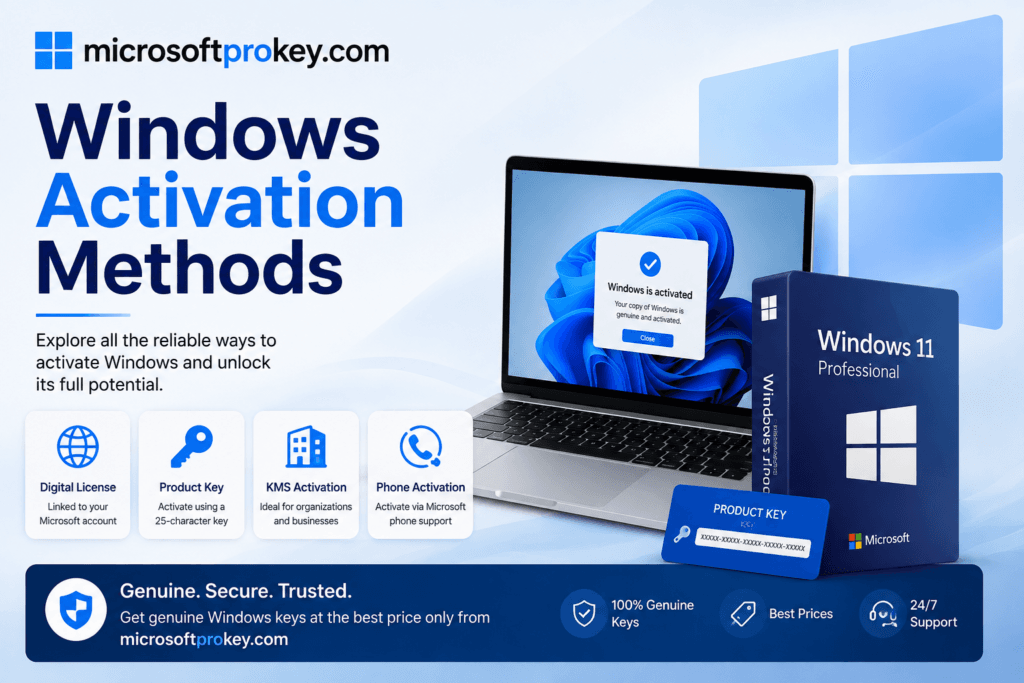
Volume licensing is for organizations. It is not for individuals. Companies use it to activate many computers. They have two main options: MAK and KMS. MAK stands for Multiple Activation Key. You get one key. You use it for multiple computers. Each activation contacts Microsoft’s servers. KMS stands for Key Management Service. You set up a server in your office. All your computers connect to this server. They get activated locally. This method does not need the internet. It works entirely inside your network. Both methods are legitimate. Both are approved by Microsoft.
MAK vs. KMS: Which Is Better?
It depends on your needs. MAK is simpler. You just use one key for all devices. But you have a limited number of activations. You cannot exceed that limit. KMS is more complex. You need a dedicated server. But you can activate unlimited computers. Your computers need to renew their activation every 180 days. This keeps them connected to your network. MAK is better for small businesses. KMS is better for large enterprises. Both are valid Windows activation methods. Both are fully legal. Choose based on your company’s size. Choose based on your technical resources.
Free Upgrade Activation – The Smart Path
Did you know you can get Windows 11 for free? If you have a genuine Windows 10 license, you qualify. Microsoft offers free upgrades. You do not need to buy a new key. Your activation status carries over. This is one of the easiest Windows activation methods. You just download the upgrade assistant. You run it. You follow the prompts. Your system upgrades to Windows 11. It stays activated. You do not spend any money. You do not enter any keys. You do not face any hassles. This offer has been available for years. It is still valid today. So check your current Windows version. You might already qualify for a free upgrade. This saves you a lot of money.
Who Qualifies for the Free Upgrade?
The requirements are simple. You need a genuine Windows 10 license. It must be activated. Your computer must meet Windows 11 hardware requirements. These include TPM 2.0 and Secure Boot. Most modern computers have these features. If your PC is older, you might not qualify. But if it does, go for the upgrade. It is the cheapest Windows activation method available. You get the latest features. You get better security. You get a modern interface. All for free. Microsoft wants everyone on Windows 11. They make the upgrade easy. They make it attractive. Take advantage of this offer while it lasts.
Educational License Activation – For Students and Teachers
Students and teachers have special options. Many schools offer free Windows licenses. You need a valid educational email address. It usually ends with “.edu” or “.edu.cn“. You visit the Microsoft Education website. You verify your status. You download Windows for free. This is a legitimate Windows activation method. It is completely legal. It is fully supported by Microsoft. The educational version has all the features. It is not a limited edition. It is full Windows. You can use it for your studies. You can use it for your work. You can keep it after you graduate. The license is yours forever. This is a fantastic deal for students.
How to Get Your Educational License
The process is simple. Go to the Microsoft Education portal. Sign in with your school email. Follow the verification steps. Download the Windows installation media. Install it on your computer. Activate it with your educational entitlement. That is all. You get a genuine Windows copy. You pay nothing. This Windows activation method helps students save money. It encourages learning. It promotes digital literacy. If you are a student, do not miss this opportunity. Check with your school’s IT department. They can guide you through the process. They can help you with any issues. Education should be accessible. Microsoft makes it so.
Authorized Retailer Purchase – The Safe Route
Buying from authorized retailers is always safe. These sellers have Microsoft’s approval. They sell genuine licenses. They provide proper receipts. They offer customer support. Popular retailers include Best Buy, Newegg, and B&H Photo. You can also buy directly from Microsoft. Their prices are higher. But you get guaranteed authenticity. You get full warranty. You get peace of mind. This Windows activation method is the gold standard. You know exactly what you are getting. You know it will work. You know it will last. There are no surprises. There are no hidden catches. It is straightforward. It is reliable.
What to Look for in a Retailer
Check for official authorization. Look for “Microsoft Authorized Partner” labels. Read customer reviews. Verify the return policy. Confirm the delivery method. Digital keys should arrive by email. Physical copies should include a COA sticker. The Certificate of Authenticity is your proof of purchase. Keep it safe. Avoid sellers with no clear policies. Avoid sellers with no contact information. Avoid deals that seem too good. Trust your instincts. If something feels wrong, walk away. There are many reputable sellers. You do not need to take risks. Choose wisely. Your Windows activation method determines your long-term experience.
Online Key Resellers – The Budget-Friendly Option
Online key resellers offer lower prices. They buy keys in bulk. They sell them at discounts. Platforms like MicrosoftProKey are popular choices. They provide genuine licenses at competitive prices. They source keys from verified distributors. They offer instant delivery. You get your key by email. You activate Windows immediately. This Windows activation method saves you money. It is convenient. It is fast. Many users trust these resellers. They have positive reviews. They have responsive customer support. They operate 24/7. You can buy a key any time. You can activate any time. It is a modern solution for modern needs.
Is It Safe to Buy from Resellers?
Safety depends on the reseller. Choose reputable platforms. Check their reviews. Look for Trustpilot ratings. Verify their HTTPS protocol. Read their terms and conditions. Contact their support team. Ask questions. A good reseller will answer promptly. A bad reseller will avoid you. MicrosoftProkey is one such trusted platform. Many users recommend it. They offer affordable, genuine keys. They have a strong reputation. They prioritize customer satisfaction. So yes, buying from resellers can be safe. Just do your homework. Research the seller. Read the reviews. Make an informed decision. This Windows activation method works well for budget-conscious buyers.
Digital Store Purchase – The Integrated Experience
The Microsoft Store offers a seamless experience. You open the Store app. You find Windows. You click “Buy.” You complete the purchase. Windows activates automatically. You do not need to enter any keys. You do not need to visit any websites. Everything happens inside Windows. This is the most integrated Windows activation method. It is designed for simplicity. It is designed for non-technical users. The price is fixed. The license is permanent. The activation is instant. You get a digital license linked to your account. You never lose it. You never forget it. It is always there when you need it.
Step-by-Step Store Purchase
Open your Settings app. Go to System. Go to Activation. Click “Go to Store.” Choose your edition. Complete the purchase. That is all. Your Windows activates immediately. You do not need to restart. You do not need to troubleshoot. It just works. This Windows activation method is perfect for beginners. It is perfect for people who want a stress-free experience. It is perfect for people who value convenience. The price might be higher. But you pay for simplicity. You pay for reliability. You pay for peace of mind. Sometimes, that is worth the extra cost.
Physical Retail Copy – The Old-School Option
Physical retail copies still exist. You buy a box from a store. Inside, you find a USB drive. You find a printed product key. You also find installation instructions. This Windows activation method gives you a tangible product. You can keep it on your shelf. You can use it for multiple installations. You can install Windows without an internet connection. The USB drive contains all the files. You just plug it in. You boot from it. You install Windows. You enter the key. You activate. It is a complete offline solution. Some people prefer this. They like having physical media. They like not relying on downloads.
Why Choose a Physical Copy?
Physical copies are reliable. You do not need a fast internet connection. You do not need a Microsoft account. You can install Windows on any computer. You can reuse the key on a new PC. You have a backup if your digital license fails. You have proof of purchase. You have a collectible item. For enthusiasts, this is appealing. For people in remote areas, this is essential. For businesses with strict policies, this is mandatory. This Windows activation method offers independence. It offers control. It offers flexibility. It might be old-school. But it still works perfectly. It still has its place.
Phone Activation – A Dying Method
Phone activation used to be common. You would call Microsoft. You would read a long code. They would give you a confirmation ID. You would type it in. Your Windows would activate. This method is now obsolete. Microsoft has phased it out. They moved to online activation. It is faster. It is more secure. It is more reliable. You do not need to talk to anyone. You do not need to wait on hold. You do not need to type long numbers. The internet handles everything. This is one Windows activation method you can forget. It is no longer supported. Do not try to use it. It will not work. Embrace the modern methods. They are better in every way.
Why Phone Activation Ended
Phone activation was inefficient. It required human operators. It required phone lines. It required time. Microsoft wanted to automate everything. They wanted to reduce costs. They wanted to improve security. Online activation is harder to hack. It is harder to fake. It is harder to abuse. So they made the switch. They encouraged users to go online. They provided tools for offline users. They created the activation portal for special cases. But phone support is gone. Do not look for it. Do not expect it. This Windows activation method is history. Focus on the current options. They are more convenient. They are more effective.
Risks of Illegal Activation Tools
Many people use illegal tools. They download “activators.” They run “cracks.” They think they are saving money. They are actually risking everything. These tools often contain malware. They steal your data. They install viruses. They mine cryptocurrency. They turn your computer into a zombie. They slow down your system. They cause crashes. They blue-screen your PC. They are not worth the risk. Microsoft detects these tools. They deactivate your Windows. They block your updates. They flag your account. You lose all benefits. You gain nothing but problems. Stay away from illegal tools.
The Hidden Costs of Piracy
Pirated Windows is not free. It costs you in other ways. You lose security updates. You become vulnerable to attacks. You lose Microsoft support. You cannot use the Activation Troubleshooter. You cannot transfer your license. You cannot upgrade for free. You are stuck. Your system is unstable. Your data is at risk. Your privacy is compromised. These hidden costs are huge. They outweigh any savings. They can destroy your computer. They can destroy your peace of mind. So choose legitimate Windows activation methods. They protect you. They give you value. They give you security. They are worth every penny.
How to Verify Your Activation Status
You should check your activation status. It is easy to do. Open your Settings app. Go to System. Go to Activation. You will see your status. It will say “Active” or “Not active.” You can also use a command. Press Win + R. Type “slmgr.vbs -xpr.” Press Enter. A pop-up will appear. It will tell you if you are permanently activated. It will tell you when your activation expires. This is useful for volume licensing users. This command gives you detailed information. Use it to verify your license. Use it to troubleshoot issues. Use it to confirm your Windows activation method worked. It is a simple tool. It provides peace of mind.
Understanding Activation Messages
Different messages mean different things. “Windows is activated” means you are good. “Windows is not activated” means you need to act. “Windows is activated with a digital license” means you have a modern license. “Windows is activated with a product key” means you used a traditional key. “Windows is in notification mode” means your grace period is ending. “Windows is in reduced functionality mode” means you are severely limited. Understand these messages. They guide your next steps. They tell you what Windows activation methods you used. They tell you what to do next. Do not ignore them. They are your early warning system.
Making the Final Decision – Which Method Is Right for You?
Choosing the right Windows activation method depends on your situation. Are you buying a new computer? OEM activation is built-in. Are you building your own PC? Retail keys or digital licenses work best. Are you a student? Get a free educational license. Are you on a tight budget? Consider reputable resellers like MicrosoftProKey. Are you upgrading from Windows 10? Take the free upgrade. Are you a business? Explore volume licensing. Each method has its place. Each method has its pros and cons. There is no single best answer. The best answer depends on you.
A Quick Comparison Table
| Windows Activation Method | Cost | Transferable | Ease of Use |
|---|---|---|---|
| OEM | Included | No | Very Easy |
| Digital License | $$ | Yes (with account) | Very Easy |
| Retail Key | $$$ | Yes | Easy |
| Volume Licensing | Varies | No | Complex |
| Free Upgrade | Free | Yes | Easy |
| Educational | Free | Yes | Easy |
| Reseller | $ | Varies | Easy |
| Microsoft Store | $$ | Yes | Very Easy |
Use this table to guide your choice. Consider your budget. Consider your future plans. Consider your technical skills. Make a choice you can live with. A good Windows activation method lasts for years. It serves you well. It protects your investment. So take your time. Do your research. Pick the right option. You will be glad you did.
Buying Guide: Where to Get Your Windows License
You have many places to buy. The Microsoft Store is the official source. It is safe. It is reliable. But it is expensive. Authorized retailers like Best Buy are also safe. They offer competitive prices. They have physical locations. You can ask questions in person. Online resellers like MicrosoftProKey offer great deals. They provide genuine keys at lower prices. They have 24/7 support. They deliver instantly by email. They are trusted by thousands. They are a popular choice for budget-conscious buyers. You can also check Amazon and Newegg. They sell both digital and physical copies. Compare prices across platforms. Read the reviews. Check the seller ratings. Make an informed purchase.
Conclusion
Understanding Windows activation methods is essential for every computer user. It protects your system. It saves you money. It gives you peace of mind. You now know all the options. You know OEM activation for new computers. You know digital licenses for modern convenience. You know retail keys for ultimate flexibility. You know volume licensing for businesses. You know free upgrades for existing users. You know educational licenses for students. You know resellers for budget-friendly deals. You know the risks of illegal tools. You know how to verify your activation. You have all the information you need.
Do not rush your decision. Think about your needs. Think about your budget. Think about your future plans. If you are building a new PC, consider a retail key. It gives you the most freedom. If you are a student, claim your free license. It is a fantastic benefit. If you are upgrading, take the free path. It is the easiest option. If you are on a tight budget, explore reputable resellers. They offer genuine keys at affordable prices. MicrosoftProKey is one such trusted platform. They provide authentic licenses. They have excellent customer support. They are a reliable choice for many users.
Remember, activation is not just about following rules. It is about keeping your computer safe. It is about getting all the features you paid for. It is about receiving critical security updates. It is about having access to Microsoft support. It is about enjoying a stable, reliable system. These benefits are invaluable. They protect your data. They protect your privacy. They protect your investment. So choose wisely. Choose a legitimate Windows activation method. Your computer will thank you. Your future self will thank you. Make the smart choice today.
FAQ’s
1. What is the cheapest legitimate Windows activation method?
The cheapest legitimate Windows activation methods include the free upgrade from Windows 10 and educational licenses for students. If you do not qualify for these, buying from reputable resellers like MicrosoftProKey offers affordable prices. OEM activation is also free if you buy a new computer with Windows pre-installed. Always avoid illegal tools that claim to be free. They come with serious security risks.
2. Can I transfer my Windows license to a new computer?
It depends on your Windows activation method. Retail keys are transferable. You can move them to a new PC. Digital licenses linked to your Microsoft account are also transferable. OEM licenses are not transferable. They are tied to the original motherboard. Volume licensing has specific rules. Check your license type before upgrading your hardware. This will save you from disappointment.
3. How do I know if my Windows is permanently activated?
Open your Settings app. Go to System. Go to Activation. Check your status. You can also use the command “slmgr.vbs -xpr” in the Run dialog. A pop-up will appear. It will tell you if your Windows is permanently activated. It will also show your expiration date if you are using a time-limited license. This is the most reliable way to verify your activation status.
4. Is it safe to buy Windows keys from online resellers?
It can be safe if you choose reputable resellers. Look for positive reviews. Check for Trustpilot ratings. Verify the website uses HTTPS. Read their terms and conditions. Contact their support team. Platforms like MicrosoftProKey are trusted by many users. They provide genuine licenses. They have responsive customer service. Do your research before buying. This will ensure a safe transaction.
5. What happens if I don’t activate Windows?
If you do not activate Windows, you face several limitations. You cannot change your wallpaper or theme. You see a permanent watermark on your screen. You miss important security updates. You lose access to Microsoft support. Some features remain locked. Your system becomes less secure. It is always better to activate. Choose one of the legitimate Windows activation methods discussed in this guide.