Introduction
I still remember the day I bought my first laptop. At first, I felt happy with my purchase. The interface looked clean and modern. Everything worked fine for basic tasks. But soon, I started facing limitations. I could not connect to my office network.
I could not encrypt my sensitive files. I could not run virtual machines for my development work. I felt stuck with a basic operating system. That is when I discovered the Windows 11 Pro Edition. This version changed everything for me. It gave me the tools I needed for professional work. It made my computer truly powerful. Now, I want to help you make the right choice. This guide will explain everything about the Windows 11 Pro Edition. You will learn its features, benefits, and pricing. You will also know where to buy it safely. Let us begin this journey together.
What Is Windows 11 Pro Edition?
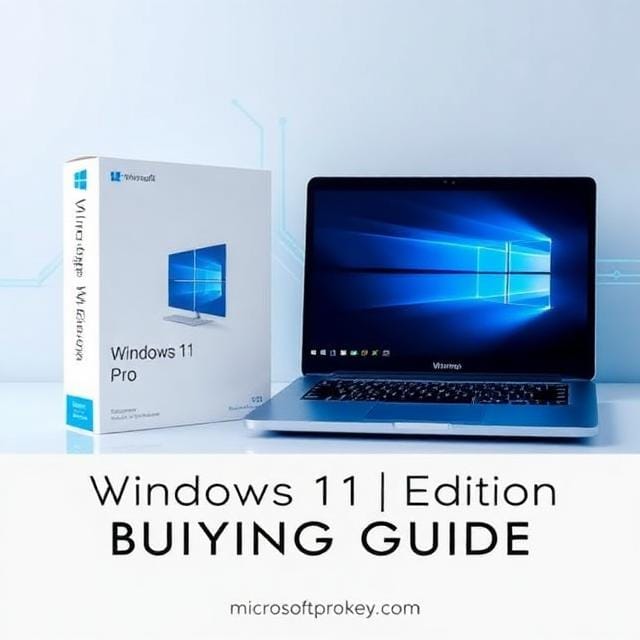
The Windows 11 Pro Edition is Microsoft’s advanced operating system. It targets professionals, businesses, and power users. It includes all the features of the Home edition. However, it adds many powerful tools on top. These tools help you work smarter and safer. The Windows 11 Pro Edition gives you more control over your device. It lets you manage security settings easily. It supports advanced networking capabilities.
It also offers better hardware support. You can use it on high-performance workstations. The operating system runs smoothly on modern processors. It also works well with older hardware. Microsoft designed this edition for productivity. It helps you get more done in less time. Many IT professionals recommend this version. They trust its reliability and security features. The Windows 11 Pro Edition is truly a professional-grade operating system.
Key Features of Windows 11 Pro Edition
The Windows 11 Pro Edition comes packed with exclusive features. These features set it apart from the Home version. Let us explore each one in detail.
BitLocker Device Encryption
BitLocker is a powerful security tool. It encrypts your entire hard drive. This protects your data from unauthorized access. They need a recovery key to unlock the drive. BitLocker integrates with Active Directory. This makes key management easier for businesses. You can also set encryption policies across your organization. The Windows 11 Pro Edition includes BitLocker by default. Home users do not get this feature.
Remote Desktop Hosting
You can connect from another computer or mobile device. This is perfect for working from home. It is also great for traveling professionals. The Windows 11 Pro Edition acts as a Remote Desktop host. Home edition only works as a client. You cannot host remote sessions with Home.
Hyper-V Virtualization
Hyper-V is a built-in virtual machine tool. It lets you run multiple operating systems on one PC. You can test software in isolated environments. Developers and IT pros love this feature. It saves time and resources. The Windows 11 Pro Edition includes Hyper-V natively. Home users must use third-party tools instead.
Group Policy Editor
Group Policy Editor gives you deep system control. You can manage user permissions easily. You can enforce security settings across devices. You can also configure network policies. This tool is essential for IT administrators. The Windows 11 Pro Edition includes full access. Home edition locks you out completely.
Windows Sandbox
Windows Sandbox creates a temporary isolated environment. You can run suspicious software safely. The sandbox resets after each session. This protects your main system from harm. It is perfect for testing unknown applications. The Windows 11 Pro Edition includes this feature. Home users cannot access it.
Domain Join and Azure AD
Domain Join connects your PC to corporate networks. This is vital for business environments. Azure AD integration enables cloud-based management. You can manage users and devices remotely. The Windows 11 Pro Edition supports both features. Home edition only works with consumer accounts.
Advanced Hardware Support
The Windows 11 Pro Edition supports powerful hardware. It allows two CPU sockets on a single system. It also supports up to 2TB of RAM. Home edition limits you to one CPU and 128GB RAM. This makes Pro ideal for workstations and servers.
Update Control
Windows updates can sometimes cause problems. The Windows 11 Pro Edition lets you defer updates. You can postpone them for up to 35 days. This gives you time to test compatibility. Home edition forces updates immediately. You have no control over the timing.
Windows 11 Pro Edition vs Home Edition
Many people ask about the differences. Let me clarify them clearly. The Windows 11 Pro Edition offers more features. It is designed for professionals and businesses. Home edition works well for casual users. Both versions share the same core interface. They both have Snap Layouts and Widgets. They both include Microsoft Defender. They both support gaming features like Auto HDR. However, Pro adds enterprise-grade tools. These include BitLocker, Hyper-V, and Remote Desktop hosting. Pro also supports domain join and Group Policy. Home lacks all these advanced features.
Pricing also differs between the two versions. The Home edition typically costs around $139. The **Windows 11 Pro Edition** retails for about $199. That is a $60 difference. However, you can often find discounts. Many third-party sellers offer lower prices. The upgrade path from Home to Pro costs about $99. This is cheaper than buying a full Pro license. Consider your needs before making a choice. If you only browse the web and watch movies, Home is enough. If you work remotely or handle sensitive data, choose Pro.
System Requirements for Windows 11 Pro Edition
Before buying the Windows 11 Pro Edition, check your hardware. Microsoft has set minimum requirements. Your PC must meet these specifications. First, you need a compatible 64-bit processor. It should run at 1 GHz or faster. It must have at least two cores. Second, you need 4 GB of RAM. Third, you need 64 GB of storage space. Fourth, your system must support UEFI firmware. It also needs Secure Boot capability. Fifth, you must have TPM version 2.0. This is a security chip on your motherboard. Sixth, you need a DirectX 12 compatible graphics card. It should support WDDM 2.0 drivers.
Most modern computers meet these requirements. However, older devices may fall short. You can check compatibility using Microsoft’s PC Health Check tool. This tool scans your system and reports any issues. If your PC does not meet the requirements, consider upgrading. You may need a new processor or more RAM. Some users also need to enable TPM in BIOS. This setting is often disabled by default. The Windows 11 Pro Edition will not install without TPM 2.0.
Who Should Buy Windows 11 Pro Edition?
The Windows 11 Pro Edition is not for everyone. It targets specific user groups. Let us see who benefits the most.
Business owners need Pro for domain join and Azure AD. These features connect their PCs to corporate networks. They also need BitLocker for data protection. IT professionals rely on Group Policy and Hyper-V. These tools help them manage systems efficiently. Remote workers benefit from Remote Desktop hosting. They can access their office PC from anywhere. Software developers use Hyper-V and Windows Sandbox. These tools let them test code safely. Security-conscious users need BitLocker encryption. This protects their sensitive files from theft. Power users appreciate the advanced hardware support. They can build high-performance workstations.
On the other hand, casual users can stick with Home. If you only browse the internet, Home works fine. If you play games casually, Home is sufficient. If you use basic office applications, Home meets your needs. The Windows 11 Pro Edition is overkill for simple tasks. Evaluate your requirements honestly. Choose the edition that fits your workflow.
Where to Buy Windows 11 Pro Edition
You have several options for purchasing the Windows 11 Pro Edition. Each option has its pros and cons. Let me explain them clearly.
Microsoft Official Store
The Microsoft Store is the most trusted source. You buy directly from the company. You receive a genuine digital license. The price is fixed at $199.99. This includes lifetime support and updates. However, this is the most expensive option. Some users find it too costly.
Authorized Retailers
Many online retailers sell Windows 11 Pro keys. These include Amazon, Newegg, and Best Buy. They offer both physical and digital copies. Prices vary between retailers. Some offer discounts during sales events. Ensure the retailer is authorized by Microsoft. This guarantees a genuine product key.
Third-Party Key Sellers
Several websites sell discounted Windows keys. These include MicrosoftProKey, Softkeys, and ESD Codes. They offer significant savings compared to Microsoft. For example, MicrosoftProKey sells Windows 11 Pro Edition keys at a fraction of the retail price. These keys are genuine and work permanently. However, you must choose reputable sellers. Read reviews before making a purchase. Check for money-back guarantees. Look for secure payment options.
Upgrade from Home Edition
If you already have Windows 11 Home, you can upgrade. Open Settings and go to Activation. Select “Upgrade your edition of Windows.” Follow the on-screen instructions. You can purchase the upgrade through the Microsoft Store. This typically costs around $99. It is cheaper than buying a full Pro license. The upgrade process is quick and simple. You do not need to reinstall your operating system.
Why Choose MicrosoftProKey for Windows 11 Pro Edition
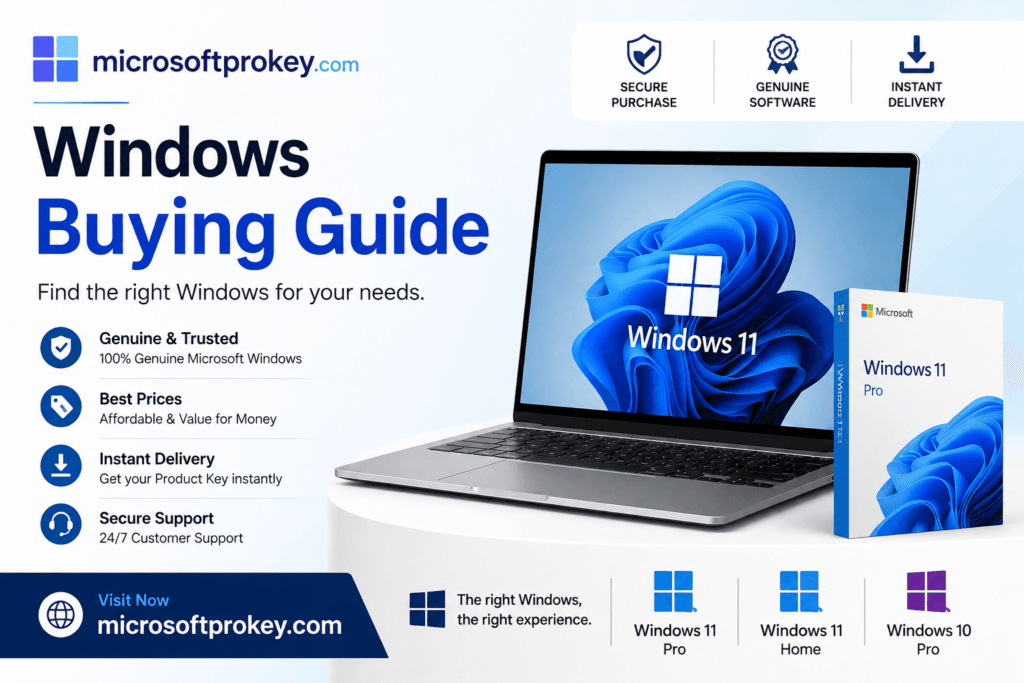
Finding a reliable seller can be challenging. MicrosoftProKey stands out as a trusted option. They offer genuine Windows 11 Pro Edition product keys. Their prices are highly competitive. You can save up to 80% compared to Microsoft. They provide instant delivery via email. You receive your key within moments of purchase. Their website uses SSL encryption for secure transactions. They also offer a 100% money-back guarantee. If your key does not work, you get a full refund. Their customer support is available 24/7. They help you with installation and activation issues. Many customers have rated them positively. They trust MicrosoftProKey for their software needs.
I recommend visiting MicrosoftProKey for the best deals. They currently offer Windows 11 Pro Edition at a discounted price. You can use their promo code for additional savings. This is a smart way to get professional features without breaking the bank. Do not miss this opportunity.
How to Upgrade to Windows 11 Pro Edition
Upgrading to the Windows 11 Pro Edition is straightforward. Follow these steps for a smooth transition.
First, check your current Windows edition. Open Settings and go to System. Click on About. Look for “Windows edition” in the list. If you see “Windows 11 Home,” you are eligible for an upgrade. Second, purchase a Pro product key. You can buy from Microsoft or a third-party seller. Third, open Settings again. Go to System and then Activation. Click on “Change product key.” Enter your 25-character Pro key. Click Next to begin the upgrade. Your system will download the necessary files. It will then install the Pro features. This process may take several minutes. Your PC will restart once or twice. After completion, you will have the Windows 11 Pro Edition.
Alternatively, you can upgrade through the Microsoft Store. Open the Store app and search for “Windows 11 Pro.” Select the upgrade option and complete your purchase. The Store will handle the installation automatically. This method is convenient and user-friendly. Both methods preserve your files and applications. You do not lose any data during the upgrade.
Common Issues and Solutions
Sometimes users face problems during installation. Let me address common issues and their fixes.
Key not working: Double-check your product key. Ensure you typed it correctly. Look for similar-looking characters like 0 and O. If the key still fails, contact your seller for support.
TPM not detected: Enable TPM in your BIOS settings. Restart your computer and enter BIOS. Look for Security or Advanced settings. Enable TPM and save changes. Reboot and try installation again.
Insufficient storage: Free up space on your hard drive. Delete unnecessary files and applications. Use Disk Cleanup to remove temporary files. Consider adding an external drive for additional storage.
Compatibility errors: Run the PC Health Check tool. It identifies compatibility issues. Address each problem one by one. Upgrade your hardware if necessary.
Activation errors: Check your internet connection. Ensure you are connected to Microsoft servers. Try activating again after some time. If errors persist, contact Microsoft support.
Tips for Getting the Best Deal
Everyone loves a good bargain. Here are tips to save money on the Windows 11 Pro Edition.
Look for seasonal sales: Many sellers offer discounts during holidays. Black Friday and Cyber Monday are great times to buy. New Year sales also bring price drops.
Compare prices: Check multiple sellers before purchasing. Prices can vary significantly. Use price comparison websites for easy tracking.
Use promo codes: Many websites offer discount codes. Search for active promo codes before checkout. MicrosoftProKey regularly provides such codes.
Buy upgrade keys: If you already have Home, upgrade instead. This costs less than buying a full Pro license. The upgrade process is quick and seamless.
Consider bundle deals: Some sellers offer bundles with Office or antivirus. These packages provide better value for money. Evaluate your needs before purchasing bundles.
Check for student discounts: Students and teachers get special pricing. Microsoft offers education discounts on their store. Verify your eligibility to save money.
Frequently Asked Questions
Q1: Can I upgrade from Windows 10 to Windows 11 Pro Edition for free?
Yes, if your Windows 10 is already activated with a Pro license. The upgrade to Windows 11 Pro Edition is free. However, if you have Windows 10 Home, you need to purchase a Pro upgrade.
Q2: Is Windows 11 Pro Edition worth the extra cost?
It depends on your needs. If you require BitLocker, Remote Desktop hosting, or Hyper-V, then yes. These features justify the additional expense. For basic users, Home edition is sufficient.
Q3: Can I install Windows 11 Pro Edition on multiple devices?
A single license works for one device only. You need separate licenses for each PC. However, volume licensing is available for businesses.
Q4: What happens if I change my computer hardware?
Your digital license may deactivate. You can reactivate using your product key. If you face issues, contact Microsoft support for assistance.
Q5: How long does the Windows 11 Pro Edition license last?
The license is permanent. You own it for the lifetime of your device. There are no subscription fees or renewal charges.
Conclusion
Choosing the right operating system is crucial for your productivity. The Windows 11 Pro Edition offers unmatched features for professionals. It provides advanced security with BitLocker encryption. It enables remote work through Remote Desktop hosting. It supports virtualization with Hyper-V and Windows Sandbox. It gives you control with Group Policy and domain join. These tools make your work easier and safer. The Windows 11 Pro Edition is a worthwhile investment for serious users.
However, you must consider your specific needs. Evaluate how you use your computer daily. If you only perform basic tasks, Home edition may suffice. But if you handle sensitive data or manage networks, Pro is essential. The extra features save time and reduce risks. They also enhance your overall computing experience.
When purchasing, choose a trusted seller. The Microsoft Store offers guaranteed authenticity. However, third-party sellers like MicrosoftProKey provide better prices. They offer genuine keys at discounted rates. You can save significantly without compromising quality. Visit MicrosoftProKey today for amazing deals on Windows 11 Pro Edition. Do not wait too long. Prices may change at any time. Secure your professional-grade operating system now. Upgrade your productivity and enjoy all the advanced features. The Windows 11 Pro Edition will transform how you work. It is a decision you will not regret.