Introduction
Windows Activation is a crucial process for every computer user. It verifies that your copy of Windows is genuine and properly licensed. Without proper Windows Activation, you miss out on many important features. Your desktop will show a persistent watermark. You cannot change wallpapers or themes. You also miss critical security updates. Therefore, understanding Windows Activation is essential for every PC owner. This guide will explain all the methods available. We will cover official and third-party options. We will also help you make a smart purchase decision. By the end, you will know exactly how to activate Windows. You will save money and avoid common pitfalls. Let us begin this journey together.
What Is Windows Activation and Why Does It Matter?
Windows Activation is Microsoft’s way of checking your license authenticity. It confirms that your operating system is genuine. This process links your license to your hardware or Microsoft account. Activation unlocks all Windows features. It removes annoying watermarks from your screen. It allows full personalization of your system. It ensures you receive important security patches. Windows Activation also protects you from malware risks. Genuine activation gives you access to Microsoft support. It makes your computer run smoothly without interruptions. Without activation, you face constant reminders to activate. Your system feels incomplete and restricted. Therefore, proper Windows Activation is not optional. It is a necessity for every user. Understanding this process helps you make better choices.
The Three Main Types of Windows Activation Licenses
1. Retail License: The Most Flexible Option
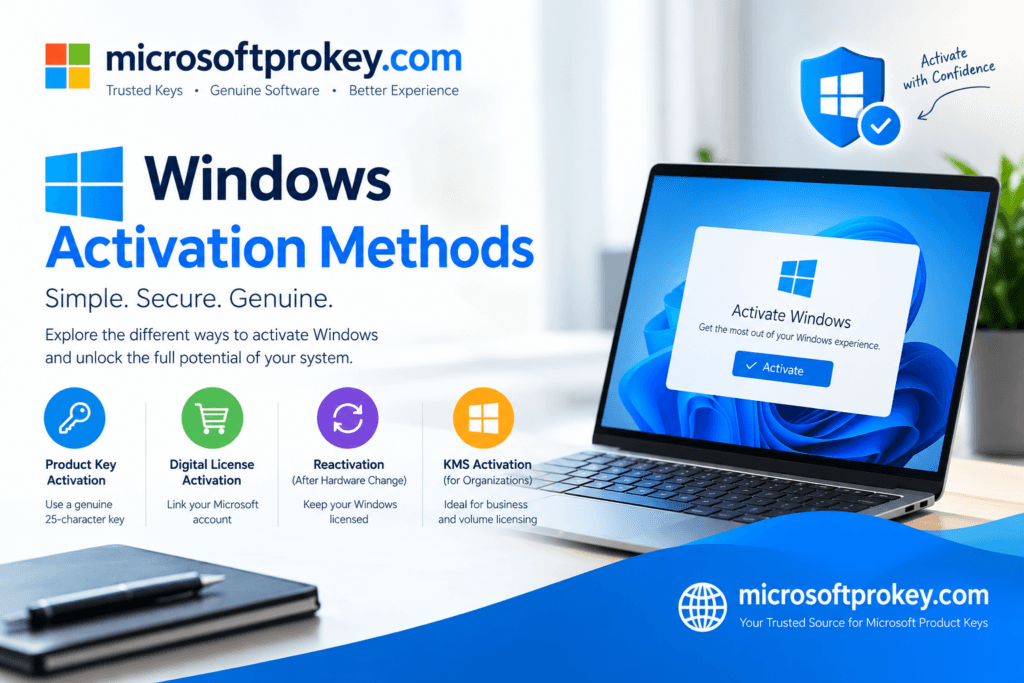
Retail licenses offer the most freedom for users. You buy these directly from Microsoft or authorized stores. They come with a 25-character product key. You can transfer this license to a new computer anytime. This flexibility makes retail keys ideal for PC builders. You can use them on one device at a time.
If you upgrade your hardware, you keep your license. Retail keys also come with direct Microsoft support. They are more expensive than other options. However, the freedom they provide is worth the cost. You can buy them from the Microsoft Store. Many online retailers also sell them. Always ensure you buy from authorized sources. This prevents scams and invalid keys. Retail licenses are perfect for home users and small businesses.
2. OEM License: The Budget-Friendly Choice
OEM licenses come pre-installed on new computers. Manufacturers like Dell and HP use these keys. They are cheaper than retail licenses. However, they have significant limitations. OEM keys tie permanently to the first motherboard. You cannot transfer them to another PC. If your motherboard fails, you lose your license. You may need to buy a new one. OEM activation happens automatically during setup.
The license stores in the system firmware. This makes reinstallation easy on the same hardware. OEM licenses do not include Microsoft support. The manufacturer provides support instead. These keys suit budget-conscious users. They work well for people who do not upgrade often. However, think carefully before choosing this option. The savings may not be worth the restrictions.
3. Volume License: Best for Businesses and Organizations
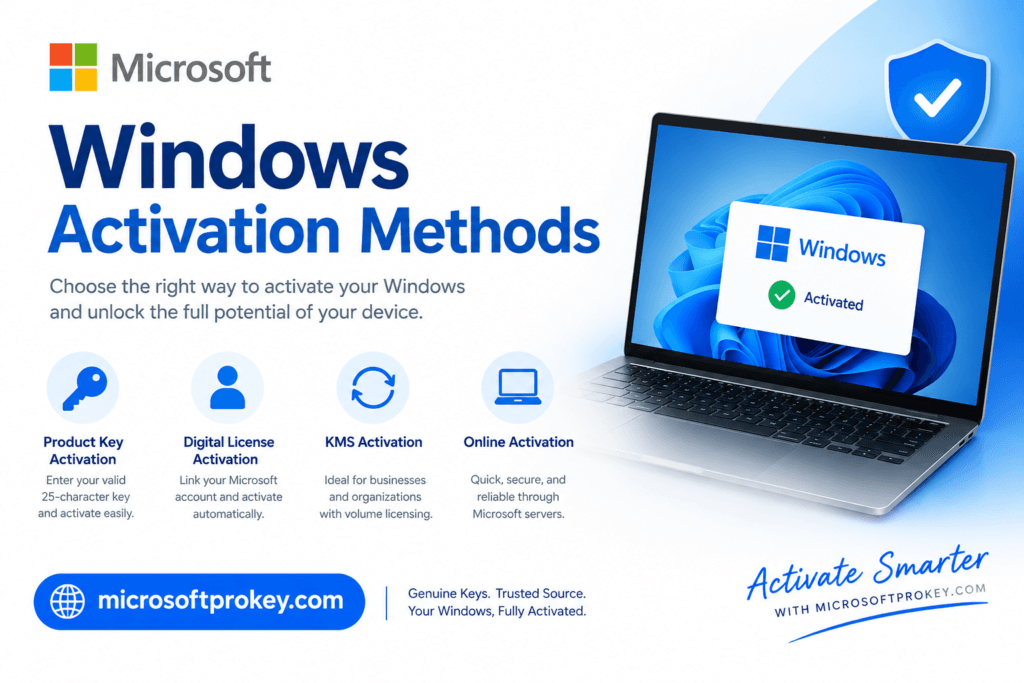
Volume licenses serve large organizations effectively. They allow activation on multiple computers. IT administrators manage these licenses centrally. Two main methods exist for volume activation. Multiple Activation Key (MAK) activates each device individually. Key Management Service (KMS) uses an internal server. KMS clients reactivate periodically to stay valid. Volume licenses are cost-effective for businesses. They simplify license management across many devices. These keys require minimum purchase quantities. Therefore, they are not suitable for individual users. Only large companies and schools use them. Volume activation also offers dedicated support channels. This ensures quick resolution of issues. If you run a business, consider this option. It saves time and money in the long run.
Digital License vs. Product Key: What’s the Difference?
Digital License: The Modern Activation Method
A digital license is a newer activation method. It does not require a physical product key. Instead, it links to your Microsoft account. This method is also called digital entitlement. It activates Windows automatically when you sign in. Digital licenses are common with Windows 10 and 11 upgrades. They make reinstallation very convenient. You do not need to remember a 25-character code. The license ties to your hardware profile too. This provides backup activation options. Digital licenses are easy to manage long-term. They are ideal for users who frequently reinstall Windows. Microsoft uses this method for Store purchases. It simplifies the entire activation process. Many users prefer this hassle-free approach.
Product Key: The Traditional Approach
A product key is a 25-character alphanumeric code. You enter this code during installation or later. Each key is unique and activates one device. You receive product keys in several ways. Boxed copies include a printed key. Digital purchases send keys via email. Some computers have a sticker with the key. Product keys work with retail and OEM licenses. They are necessary for manual activation. You can enter them in the Activation settings. The system then verifies the key with Microsoft servers. If the key is valid, activation completes successfully. Product keys offer a tangible proof of purchase. Many users prefer having a physical code. It gives them a sense of ownership. However, digital licenses are gradually replacing them.
Step-by-Step Windows Activation Methods
Method 1: Activate Through Windows Settings
This is the easiest Windows Activation method. Open Settings from the Start menu. Navigate to System and then Activation. Click on “Change product key” if you have one. Enter your 25-character product key carefully. Follow the on-screen instructions to complete activation. Alternatively, click “Go to Store” to buy a digital license. This method works for both new and existing installations. It requires an internet connection. The process takes only a few minutes. Windows will verify your key automatically. You will see a confirmation message upon success. This method is beginner-friendly and straightforward. Most users prefer this approach. It eliminates the need for complex commands. You can complete Windows Activation in just a few clicks.
Method 2: Activate During Windows Installation
You can activate Windows during the initial setup. The installation process prompts you for a product key. Enter your key when asked. The system will verify it immediately. If the key is valid, activation happens automatically. This saves time after installation. You do not need to perform additional steps. This method works for retail and OEM keys. It is convenient for fresh installations. However, you can skip this step if you prefer. You can activate later through Settings. Skipping allows you to use a generic key temporarily. You must activate within 30 days. Otherwise, you lose personalization features. This method integrates activation into setup. It streamlines the entire process for new PCs.
Method 3: Use Command Prompt for Advanced Users
Advanced users can use Command Prompt for Windows Activation. Open Command Prompt as administrator. Type specific commands to install a KMS client key. You can also change product keys this way. Use the slmgr command for various activation tasks. For example, “slmgr /dli” shows license information. This method gives you more control. It is useful for troubleshooting activation issues. However, it requires technical knowledge. Incorrect commands can cause problems. Only use this method if you are confident. It is not recommended for average users. The Settings method is simpler and safer. Command Prompt is best for IT professionals. They use it for bulk activations and diagnostics.
Method 4: Link to Your Microsoft Account
Linking Windows Activation to your Microsoft account is smart. This creates a digital license for your device. Sign in with your Microsoft account during setup. The system links your license automatically. If you reinstall Windows, activation happens automatically. You do not need to enter a product key. This method is convenient for frequent reinstallations. It also helps if you change hardware. You can use the activation troubleshooter to transfer the license. This works if your Microsoft account has the digital license. Ensure you use the same account every time. This method simplifies Windows Activation significantly. It removes the need to track product keys. Many users find this approach stress-free. It is the modern way to manage licenses.
Method 5: The New Product Activation Portal
Microsoft recently introduced the Product Activation Portal. This replaces the old phone activation method. You can access this portal online. It works for retail, OEM, and volume licenses. You need a secondary device with internet access. The portal guides you through the activation steps. It handles key management for volume licenses too. You can check license details and assign keys. The portal even offers live chat support. This new method is more efficient than phone calls. It eliminates long wait times on hold. You can complete activation from anywhere. This is especially useful for offline devices. The portal makes Windows Activation more accessible. It is a welcome improvement for all users.
Where to Buy Genuine Windows Activation Keys
Official Microsoft Store: The Safest Option
The Microsoft Store is the most trusted source. You buy directly from the company itself. This guarantees a genuine license. Prices are fixed and transparent. Windows 11 Home costs around $139. Windows 11 Pro costs about $199. You receive a digital license linked to your account. No manual key entry is required. This method is simple and secure. You avoid any risk of scams. The license stays in your Microsoft account forever. You can reinstall without any issues. This option is best for peace of mind. It is more expensive than other sources. However, the security is worth the extra cost. Many users prefer this official route.
Authorized Retailers: Trusted Third-Party Options
Several authorized retailers sell genuine Windows keys. Popular stores include Amazon, Best Buy, and Newegg. These retailers are Microsoft partners. They sell both digital and boxed versions. Look for listings marked as “Official License”. Ensure the seller is authorized by Microsoft. Read customer reviews before purchasing. This helps you avoid counterfeit keys. Retailers often offer competitive prices. They may have sales and discounts. You can receive the key via email instantly. Boxed versions include a USB installer. This is useful for offline installations. Authorized retailers provide a good balance. They offer convenience and reliability. Always verify the seller’s credentials.
Online Key Resellers: Proceed with Caution
Many online resellers offer cheap Windows keys. These prices seem too good to be true. Often, they are not legitimate. Some keys are stolen or illegally obtained. Others are volume keys meant for businesses. Using such keys violates Microsoft’s terms. They may work initially but get deactivated later. You lose your money and activation. These resellers have poor reputations. They lack contact information and support. Always check for HTTPS security. Avoid websites with suspicious URLs. Report any scams to Microsoft. It is better to pay a fair price. Cheap keys often lead to problems. They are not worth the risk. Choose legitimate sources for Windows Activation.
Microsoftprokey: A Reliable Alternative
For those seeking affordable and genuine keys, Microsoftprokey is a trusted option. They offer competitive prices on Windows activation keys. Their keys are authentic and work immediately. You receive your key via email quickly. Microsoftprokey provides excellent customer support. They ensure your Windows Activation goes smoothly. Their website is secure and easy to use. Many customers have positive experiences. They offer both Home and Pro editions. The prices are much lower than retail. However, the keys are still legitimate. This makes them a great value choice. You save money without compromising quality. Microsoftprokey is a reliable alternative for budget-conscious users. Always check their website for current deals. Visit https://microsoftprokey.com/ for more information.
How to Verify Your Windows Activation Status
Checking your Windows Activation status is simple. Open Settings from the Start menu. Go to System and then Activation. You will see your activation status clearly. It will say “Active” if everything is fine. If not, it will show an error message. You can also use Command Prompt. Type “slmgr /dli” to see license details. This shows your license type and status. It tells you if you have OEM, Retail, or Volume. Knowing your status helps with troubleshooting. It also confirms your license is genuine. Regular checks prevent unexpected issues. You can catch problems early. This ensures your Windows Activation remains valid. Make it a habit to check periodically.
Common Windows Activation Problems and Solutions
Invalid Product Key Errors
Sometimes Windows rejects your product key. This happens for several reasons. You may have typed it incorrectly. Check for typos and extra spaces. The key might be for a different edition. Ensure you have the correct version. Your key could already be in use. Retail keys work on one device at a time. You may need to deactivate the old device. Contact Microsoft support for help. They can resolve key issues quickly. Always buy from legitimate sources. This prevents invalid key problems. Using a digital license avoids this issue entirely. It links to your account automatically.
Activation Server Unavailable
Sometimes Microsoft servers are down. This prevents Windows Activation temporarily. Check your internet connection first. Ensure you are online and connected. Try again after a few minutes. The servers usually come back quickly. You can also use the Product Activation Portal. This works even if Settings fails. It provides an alternative activation method. If problems persist, contact support. They can guide you through manual activation. Server issues are rare but frustrating. Patience usually solves the problem. Ensure your system date and time are correct. Incorrect settings can cause activation failures.
Hardware Changes Trigger Reactivation
Major hardware changes can deactivate Windows. This is common with motherboard upgrades. OEM licenses tie to the original hardware. You cannot transfer them to new PCs. Retail licenses allow transfer but require reactivation. Use the activation troubleshooter for help. Sign in with your Microsoft account. This may restore your digital license. If it fails, you may need a new key. Plan ahead for hardware upgrades. Consider buying a retail license for flexibility. This saves you from buying keys repeatedly. Always backup your product key before changes. This ensures smooth reactivation.
Tips for Choosing the Right Windows Activation Method
Consider your budget first and foremost. Retail licenses cost more but offer flexibility. OEM keys save money but have restrictions. Think about your future upgrade plans. Do you change PCs often? Then retail is better. Are you building a budget PC? OEM works well. Consider your technical skill level. Settings activation is easiest for beginners. Command Prompt suits advanced users. Digital licenses are most convenient.
They tie to your Microsoft account. Product keys give you a physical code. Some users prefer that tangible proof. Volume licenses are only for businesses. Individual users should avoid them. Always buy from trusted sources. This ensures genuine Windows Activation. Compare prices across official retailers. Look for seasonal discounts and deals. Make an informed decision based on your needs.
Why You Should Avoid Pirated Activation Tools
Pirated activation tools are dangerous. They often contain malware and viruses. These tools can steal your personal data. They may damage your system files. You lose access to important security updates. Your PC becomes vulnerable to attacks. Microsoft detects and blocks these tools. Your Windows Activation will eventually fail. You may face legal consequences too. Using pirated software is illegal. It violates Microsoft’s terms of service. You do not get any technical support. Troubleshooting issues becomes impossible. The risks far outweigh the savings. A genuine key costs a reasonable amount. It provides peace of mind and security. Always choose legitimate Windows Activation methods. Protect your data and your computer.
The Future of Windows Activation
Microsoft continues to evolve activation methods. Phone activation is now retired. The Product Activation Portal is the new standard. Digital licenses are becoming more common. Physical product keys may eventually disappear. Cloud-based activation is the future. It offers greater convenience and security. Microsoft aims to simplify the process. They want activation to be seamless. Users should not struggle with complex steps. The focus is on user experience. Activation will become even more automatic. It will integrate deeper with Microsoft accounts. This reduces the need for manual entry. Stay updated with these changes. They make Windows Activation easier for everyone.
Conclusion
Choosing the right Windows Activation method is a critical decision. It affects your computer’s functionality and security. You have several options to consider. Retail licenses offer the most flexibility. They allow transfer between devices. OEM keys are budget-friendly but restrictive. Digital licenses provide modern convenience. Product keys remain a reliable traditional method. Each option has its pros and cons. Evaluate your needs carefully before purchasing. Consider your budget and future plans. Think about how often you upgrade hardware.
Always buy from legitimate sources. Avoid cheap, suspicious websites. They often sell invalid or stolen keys. Microsoftprokey offers a trustworthy alternative. They provide genuine keys at competitive prices. Visit https://microsoftprokey.com/ for reliable Windows Activation solutions. Remember, proper activation unlocks all Windows features. It removes watermarks and enables personalization. You get access to critical security updates. Your system runs smoothly and securely. Do not compromise on activation. Invest in a genuine license today. It is a small price for peace of mind. You will enjoy a fully functional Windows experience. Make the smart choice for your PC. Your computer deserves the best protection. Activate Windows properly and enjoy all its benefits.
Frequently Asked Questions
1. What happens if I don’t activate Windows?
If you skip Windows Activation, you face several restrictions. A persistent watermark appears on your desktop. You cannot change wallpapers or themes. Personalization options remain locked. You may miss important security updates. Your system feels incomplete and limited. However, you can still use basic functions. Microsoft does not disable your PC entirely. But the experience is far from optimal. Activation unlocks the full potential of Windows.
2. Can I transfer my Windows license to a new computer?
It depends on your license type. Retail licenses allow transfer to a new PC. You must deactivate the old device first. OEM licenses are permanently tied to the original hardware. You cannot transfer them to another computer. Digital licenses linked to your Microsoft account offer flexibility. You can use the activation troubleshooter to transfer. Always check your license type before upgrading hardware.
3. How do I check my Windows Activation status?
Checking your status is very simple. Open Settings from the Start menu. Navigate to System and then Activation. Your activation status appears clearly on the screen. It will say “Active” if everything is fine. You can also use Command Prompt. Type “slmgr /dli” to see detailed license information. This shows your license type and activation status. Regular checks help you avoid unexpected issues.
4. Is it safe to buy Windows keys from third-party websites?
It depends on the website’s reputation. Authorized retailers like Amazon and Best Buy are safe. They are official Microsoft partners. However, many unknown websites sell fake or stolen keys. These keys may work temporarily but fail later. You lose your money and activation. Always verify the seller’s credentials. Read customer reviews before purchasing. Microsoftprokey is a trusted and reliable option. They provide genuine keys with good support.
5. What is the difference between a product key and a digital license?
A product key is a 25-character code. You enter it manually to activate Windows. A digital license is a newer method. It links your activation to your Microsoft account. Digital licenses do not require a product key. They activate automatically when you sign in. Product keys are physical or digital codes. Digital licenses are virtual entitlements. Both methods achieve the same result. They both activate your Windows properly.